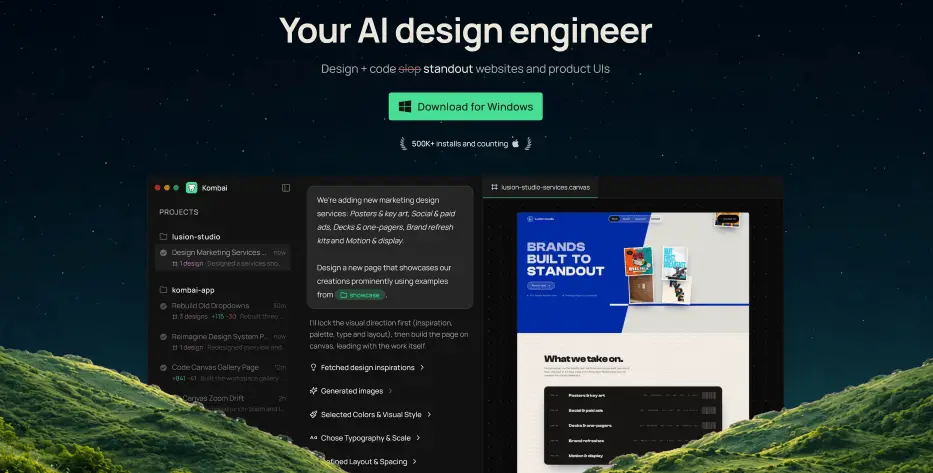
Kombai is a design tool that helps you design and code websites and product UIs that don’t come out looking like generic “AI slop.” Instead of defaulting to the same layouts and styling choices most AI tools fall back on, its “taste agent” makes deliberate design calls for things like typography, layout, and interactions. While a separate context system scans your actual codebase, Figma files, or Storybook to pick up your existing components, tokens, and design patterns so the output actually fits into what you’ve already built.
Kombai allows you to work in “Design mode” to sketch out ideas on an infinite canvas and try variations before anything touches real code, or jump into “Code mode” to generate production-ready frontend code directly inside your repo. It’s available as a desktop app or as an extension for IDEs like VS Code, Cursor, and Kiro, and it currently supports over 50 AI models. Kombai offers a free plan with 300 credits per month, including 150 credits at sign-up and 50 added daily.