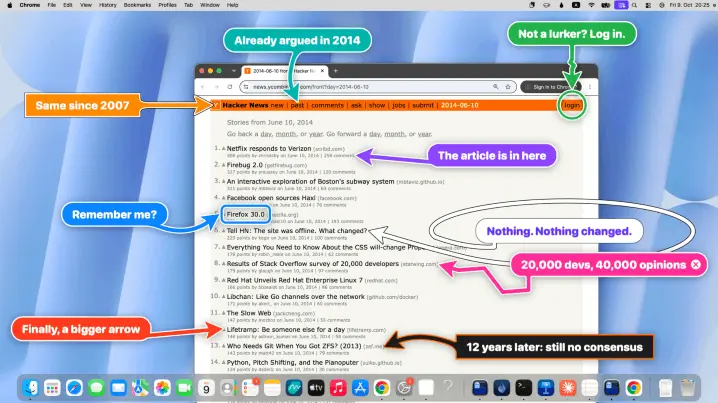
Big Arrow on the Screen is a free, open-source macOS command-line tool that comes with a ready-made skill for Claude Code and Codex, so your AI agent can point at things on your screen. Agents often reach moments where only a human can act, such as approving a permission prompt, entering a 2FA code or confirming a payment, and usually all they can do is print a message in a terminal you may not be watching. With bigarrow, the agent draws a large, friendly arrow with a short message over the right button or window, you click it yourself, and the arrow disappears on its own.
To get started, install it with Homebrew (brew install franzenzenhofer/tap/bigarrow), then run bigarrow install-skill to add the skill to Claude Code and Codex. From there, your agent knows when and how to use it. It can aim the arrow by element label, window name or exact coordinates, and you can even customise the colour, shape and size, or have the message read aloud when you’ve stepped away from your desk.