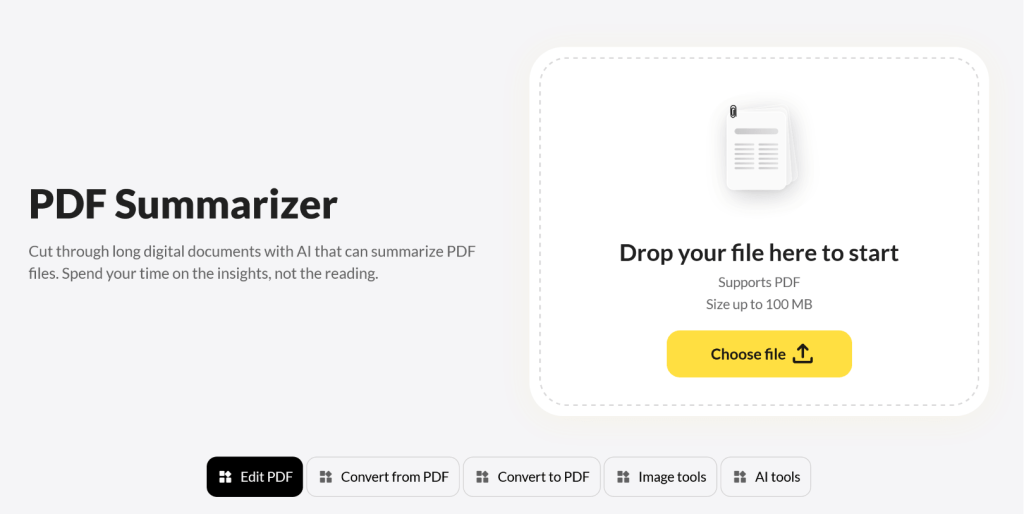
OnlyDoc’s PDF summarizer is a free online AI tool that takes a long document and condenses it into the points that actually matter. You drop in a PDF, and within seconds you get back a structured summary that reflects what the original file actually says – not a generic overview, but the specific arguments, findings, or conclusions the document is built around. It works on any device, with no account to create and no software to install. You upload the file, wait a moment, and copy or download the summary. OnlyDoc’s PDF summarizer is free to use. There’s no signup, no daily limit on summaries, and no paywall on length or features. You can summarize as many documents as you need, up to 100 MB per file.
Key Features
- Fast results — Most summaries are ready in under 30 seconds, no matter how long the source file is.
- Accurate meaning preservation — The summary reflects what the original document actually argues, not a watered-down generic version.
- Clean structure — Output comes in organized paragraphs that are easy to scan, quote, or paste into notes.
- One-click workflow — Upload the file, click once, get the summary. No settings to configure.
- Wide content compatibility — Handles academic papers, business reports, legal documents, scanned chapters, and most other PDF types.
- Mobile and desktop access — Works the same in a browser on a phone as on a laptop.
- Large file support — Takes PDFs up to 100 MB, so long reports go through in one pass.
- Secure processing — Files are handled with reliable security practices and aren’t kept after the summary is generated.
Use Cases
- Getting through a stack of research papers — A PhD student has 30 papers on her literature review list and two weeks to finish the chapter. She runs each one through the summarizer, decides which ones deserve a full read, and gets through the pile without burning out.
- Prepping for a board meeting — An executive gets a 60-page strategy deck the night before a board call. He summarizes it, walks in knowing the three main proposals, and asks sharper questions than if he’d skimmed it cold.
- Reviewing a contract before signing — A freelance consultant receives a long services agreement from a new client. She summarizes it first to spot the key terms — payment schedule, termination clause, IP ownership — then reads those sections of the original in full.
- Skimming a government report for a deadline article — A journalist has 90 minutes to file a story on a newly released regulatory report. She summarizes it, pulls the main findings, and uses the summary to navigate back to the exact pages worth quoting.
- Catching up on a textbook chapter before an exam — A law student missed two weeks of class and has a final coming up. He summarizes the relevant chapters, gets the structure of each topic, and goes back into the textbook for the parts he needs to memorize.